하이어비자
협약대학교
팀에 합류하기
파트너십 지원
협약대학 리스트
협약 문의
서비스 불만 사항 제보
Share
하이어비자
협약대학교
협약대학 리스트
팀에 합류하기
파트너십 지원
협약 문의
서비스 불만 사항 제보
How to activate eSIM
eSIM can only be registered
when connected to Wi-Fi or mobile data
.
Please make sure you are connected to the internet.
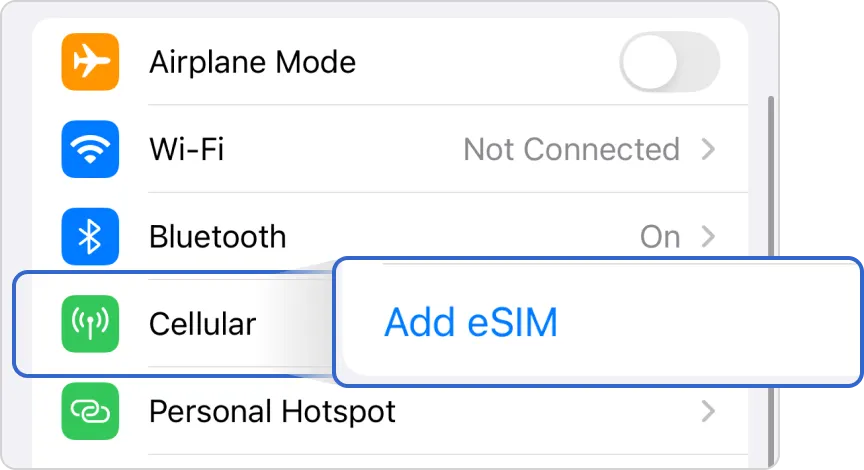
1. Go to Settings → Cellular → Add eSIM → Tap ‘Use QR Code’.
2. Please scan the ‘QR code’ to proceed with the installation.
How to add an iPhone eSIM
eSIM can only be registered
when connected to Wi-Fi or mobile data
.
Please make sure you are connected to the internet.
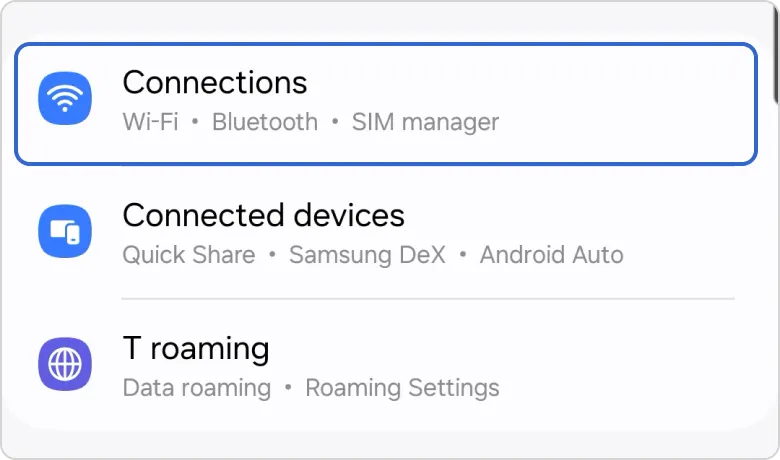
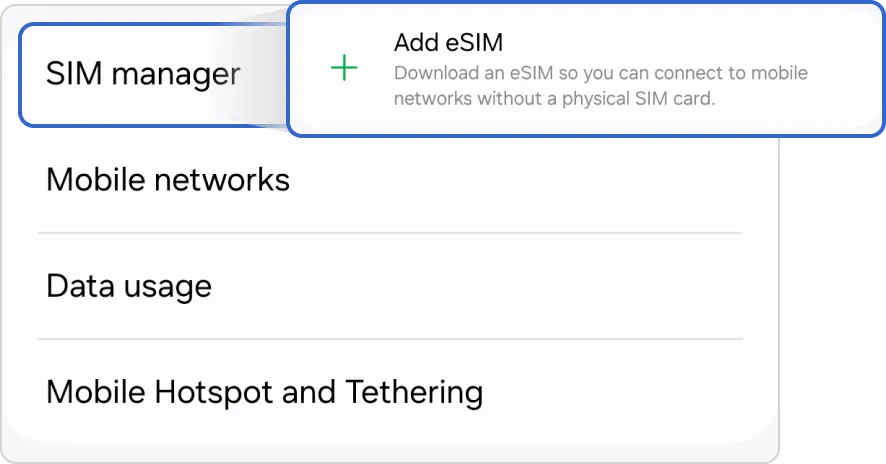
1. Go to Settings → Connections → SIM manager → Tap ‘Add eSIM’
How to add an eSIM on Android
 How to activate eSIM